Smart home automation in Dubai can mean a few connected lights or a professionally designed system linking lighting, AC and curtains across a villa. Those are different purchases. The useful question is not just “How many smart devices do I get?” but “Which routines will work together, what happens when something goes offline, and who can maintain the system later?”
Ask about the exact systems you want to integrate
Describe your existing devices and intended routines. Ask responding providers to confirm compatible models, integration experience, commissioning, account handover and ongoing charges.
Quick answer: buy working routines, not a device bundle
- Start with two or three clear routines: an evening lighting scene, scheduled curtains or room-by-room AC control.
- For a finished home, compare an assessed wireless or hybrid upgrade with any proposed rewiring. “Wireless” does not mean that switches, motors and controllers need no electrical work.
- Ask for exact models, confirmed integration features, physical controls, offline behaviour and account ownership in writing.
- Public Dubai package prices vary because device quantities and scope differ. Compare your complete one-off installation cost, then review recurring fees separately.
Dubai smart-home prices: what the advertised packages tell you
The following provider advertisements were checked on 13 October 2026. These are indicative public references, not Bestimate transaction averages, endorsements or fixed quotes. They cannot be combined into a like-for-like market range because the device counts, wiring and tax treatment are not consistently specified.
| Public example | Advertised AED amount | Before using it as a budget |
|---|---|---|
| Smart Tech Dubai: Essential package | From AED 5,999 | The FAQ describes switches, thermostats, a door lock, control panel and voice assistant. Obtain exact quantities and models; confirm labour, electrical work, programming and VAT. |
| Go Pro Technology: basic wireless system for a 1–2 bedroom apartment | AED 8,000–15,000 in its FAQ | Describes lighting, AC, security and voice control. Device quantities, compatibility, finishing work and VAT need a written quotation. |
A larger villa, a wired control system, bespoke programming or substantial network and electrical work needs its own surveyed scope. Do not multiply an apartment package by the number of bedrooms. Conversely, adding one compatible device to an existing working system is not the same job as commissioning a whole home.
Compare one-off installation quotes
Use the comparison tool for the amounts providers actually quote: equipment, installation, approved wiring or network changes, programming, testing and making good. Enter a whole-job package once; do not add components already included. Unpriced required work and unknown VAT remain unresolved, not free.
For illustration only, AED 6,000 of equipment plus AED 1,200 installation and AED 800 programming totals AED 8,000 before tax and any unquoted extras. This is arithmetic, not a market estimate. The tool does not establish compatibility or verify a provider's scope. It compares one-off installation costs only; keep subscriptions, annual support and future replacements in the separate ownership-cost checklist below.
Compare the same integration plan and model list. This is a one-time installation comparison, not a compatibility test, recurring-cost forecast or savings calculator.
Open the full smart home installation quote comparison. Unknown costs stay unresolved; no complete quote comparison appears until both quotes have the same confirmed scope. This tool uses your prices, not an automatic market estimate.
Retrofit, wired or hybrid: choose around the property
| Approach | When to investigate it | What the design must settle |
|---|---|---|
| Wireless retrofit | An occupied apartment or finished villa where avoiding new control-cable routes matters | Coverage, power, controller location, existing switch compatibility, manual operation and future device support |
| Wired control system | A new build or substantial renovation with an opportunity to plan infrastructure | Cable and cabinet space, electrical design, programming, drawings, commissioning and maintenance access |
| Hybrid extension | A home with an existing system worth retaining, plus rooms or functions to add | Exact bridge or gateway, supported functions, existing project information and which provider supports each side |
KNX's homeowner guidance describes both wired planning and KNX RF wireless options for existing homes. That makes “KNX or wireless” an incomplete comparison. Ask the designer which communication and power arrangements are proposed, rather than choosing solely by a protocol label.
For a rental, agree landlord permission, allowed alterations and reinstatement before work begins. For apartments and communities, ask management about contractor access, work hours and any approval needed for the actual scope. A wireless communication method does not itself settle permission to replace switches or alter common equipment.
Matter, Thread and “works with” are not the same thing
The Connectivity Standards Alliance describes Matter as a local connectivity standard using technologies including Wi-Fi, Ethernet and Thread. Thread is a networking technology, not another name for Matter. Some existing devices can participate through a compatible bridge; support depends on the actual product, not just the logo on a similar model.
Google's Matter setup documentation states that platforms add support for device types at different times, and identifies the required compatible hub and Thread border router where applicable. Apple's Thread guidance likewise identifies the hardware needed for functions such as automations and remote control. Do not buy a controller merely because another device from the same brand supports Thread.
- List the exact model: include generation, region and firmware requirements, not “smart switch × 10”.
- List the required function: on/off, dimming, colour, curtain position and AC mode are different capabilities.
- Name the intended app: check whether each required function is available there or needs the manufacturer's app.
- Agree the bridge and controller: identify what stays powered on and who maintains it.
- Test a representative room first: a successful pilot is more useful than a promise that every existing device will integrate.
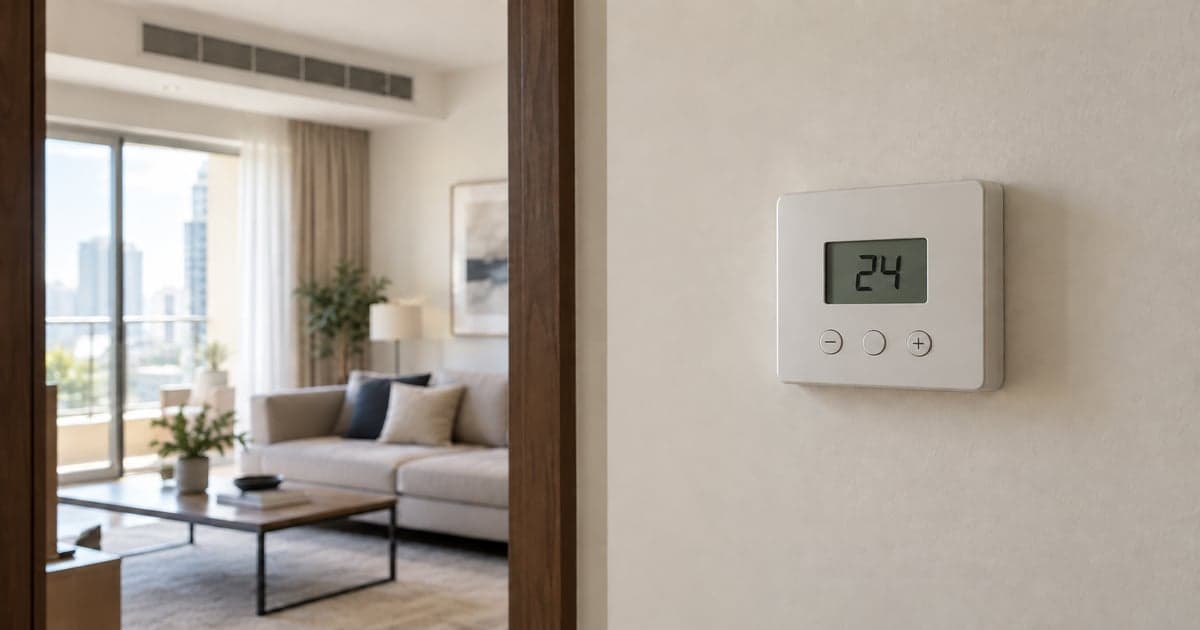
An AC's existing controller is especially important. Replacing a wall thermostat and integrating an existing central system are not interchangeable jobs; use the AC thermostat compatibility guide when the individual controller also needs replacement.
What should still work if the internet goes down?
Local control, remote access and voice services have different dependencies. Google's documentation distinguishes local Matter commands within the home from remote commands routed through internet services. That is not a promise that every routine, voice command or third-party integration will work offline.
| Agree before ordering | Ask the installer to demonstrate at handover |
|---|---|
| Internet service unavailable, local network still running | Which physical controls, local app actions and agreed scenes continue; which remote or cloud functions stop |
| Controller, router or battery-powered device unavailable | Manual fallback, visible fault indication and the documented recovery procedure |
| Normal power restored after an interruption | Documented restart behaviour and whether the agreed settings and schedules return |
| Second household member using a different phone | Correct permissions, access to agreed functions and a way to remove access later |
These should be planned, safe demonstrations by the provider—not instructions to interfere with electrical supplies, alarms or access-control safety. Routine lighting or comfort automation must not replace required life-safety systems. Keep everyday physical controls usable where the design permits, and document any exceptions before committing.
Budget for ownership, not just installation day
Ask for the following separately. A blank fee is not a confirmed zero; “support included” needs a duration and scope. Do not assume energy savings will repay the purchase: no savings percentage or payback is established by this guide.
| Ownership item | Record for each proposal |
|---|---|
| Cloud or remote-access plan | Monthly or annual charge, VAT status, optional or required, and functions lost if cancelled |
| Support and programming changes | Included period, call-out charge, remote-support terms and cost of changing scenes |
| Expansion | Available capacity, compatible additions, new hardware needed and programming responsibility |
| Replacement and transfer | Battery and device servicing, re-pairing cost, moving-home procedure and transfer to another installer |
Create resident-owned accounts where the platform allows, and agree any continuing installer access explicitly. Obtain the device inventory, receipts, warranties, recovery information and documentation you are entitled to receive. For installer-programmed systems, settle access to backups or project files and transfer terms before paying; availability and licence restrictions vary.
A practical phased brief for a Dubai home
- Survey first: record existing models, network coverage, controls and property restrictions. Send only exterior photos of closed equipment, not exposed wiring.
- Pilot one useful room: specify two or three routines and test manual controls, family access and agreed offline behaviour.
- Expand after acceptance: add compatible rooms using an updated device schedule and an itemised change price.
- Finish with handover: agree training, documented settings, support contact and responsibility for faults involving more than one system.
Supply photos of existing control faces, a room list and the exact device models you already own. Do not put Wi-Fi passwords, login credentials, pairing codes, camera views or a complete security layout in a public request. Crop or blur unrelated faces, names, addresses, phone and unit numbers, documents, delivery or order labels, barcodes and serial labels. Keep exact access instructions and contact details in private booking fields, and share necessary credentials securely only with the selected professional.
Switch replacement, new power supplies and fixed electrical connections need a qualified electrician. For example, Shelly's device documentation and linked safety guide specify electrical requirements and qualified installation. Do not remove switch plates to check for a neutral wire yourself. Smart equipment is not a repair for burning smells, damaged wiring or repeated circuit trips.
If the job is only a single door device, the smart lock installation guide or video doorbell guide is the closer starting point. This article is for integration between systems, not a reason to replace working devices unnecessarily.
Compare providers on the system they can actually support
A company offering electrical work or device mounting does not automatically provide whole-home integration. Ask for experience with the proposed platform, a comparable scope, a named commissioning responsibility and written aftercare. Have each provider confirm the models and functions it can support before comparing the price.
Use Bestimate's Smart Home Automation service to send one clear brief and compare the written responses you receive. Provider suitability, availability and the final scope must be confirmed for your project; a service listing is not a guarantee of expertise in every system.
Frequently asked questions
How much does smart home automation cost in Dubai?
Reviewed public examples include a starter package from AED 5,999 and a separate provider's AED 8,000–15,000 basic wireless apartment scope. Their quantities and inclusions differ, so they are not a verified market range. Request exact devices, installation, programming, testing, exclusions and VAT in one proposal.
Can I automate an existing apartment without rewiring everything?
Wireless and hybrid options can reduce new control-cable work. They still need compatible equipment, suitable power and reliable networking. The survey should identify electrical alterations, fixing work, permissions and reinstatement before purchase.
Does Matter mean every smart device will work together?
No. Confirm the exact model, platform, supported device type and required functions. A compatible controller or bridge may be needed, and some features may remain in a manufacturer's app. Do not rely on a promised future update for a function you need now.
Will my lights and AC still work without internet?
That depends on the installed design. Ask which manual controls and local functions continue, what depends on a controller or local network, and what requires internet access. Agree a safe demonstration rather than accepting a blanket “works offline” promise.
Can I install the system gradually?
Yes, when the first phase is designed for the intended expansion. Agree controller capacity, supported devices, wiring needs and future programming costs. A tested pilot helps establish whether the proposed routines are useful before extending the scope.
What should I receive at handover?
A tested device and scene list, documented manual and offline behaviour, agreed owner access, warranty and support terms, and a recovery or transfer plan. Clarify any restrictions on project files or programming access in advance. Recurring charges belong in the handover record as well as the quote.
Sources and review method
Reviewed on 13 October 2026 by Bestimate Editorial Team. Technical distinctions use the linked CSA, Google, Apple, KNX and Shelly documentation. Pricing references are the two providers' public advertisements, with unresolved quantity, scope and tax details retained. They do not establish provider quality, a Dubai-wide average, compatibility with your home or guaranteed savings. Exact system design and work requirements need professional assessment.
Compare quotes for your job
Ask about the exact systems you want to integrate
Describe your existing devices and intended routines. Ask responding providers to confirm compatible models, integration experience, commissioning, account handover and ongoing charges.